If you’re working in ecommerce SEO, you’ve probably had this conversation more times than you’d like. Leadership wants to know which channels are driving bookings. You pull up GA4, and it tells you paid search is doing the heavy lifting. But something doesn’t add up.
The problem isn’t your strategy. It’s your data.
Most ecommerce businesses have their conversion data sitting in a CRM and their traffic data sitting in GA4, and the two never meet. The result is last click attribution that chronically undersells organic search and email, or a CRM source field that just says “Web” and nothing more useful than that.
The fix is free. Here’s how to do it.
Why GA4 alone isn’t giving you the full picture
GA4’s default attribution model credits the last non-direct click before a conversion. For ecommerce businesses with longer buying cycles, luxury travel, high ticket products, considered purchases, this is a real problem.
A customer might discover you through an organic blog post, come back via an email, then convert after clicking a branded paid search ad. GA4 gives paid search full credit. Organic gets nothing.
When you join GA4 with your CRM data, you almost always find that organic search is responsible for significantly more high value conversions than last click reporting suggests. That changes budget conversations. It changes how you make the case for SEO investment. It changes everything.
What you’ll need
- A GA4 property with conversions being tracked
- A CRM that allows data export (Zoho, HubSpot, Salesforce and most others do)
- A Google Cloud account (free to set up)
- Access to Looker Studio (also free)
Google Cloud’s free tier gives you 10GB of storage and 1TB of queries per month at no cost. For most ecommerce operations, that’s more than enough.
📊 How to set it up
Step 1: Enable the GA4 to BigQuery export
Inside your GA4 property, go to Admin, then BigQuery Linking. Connect your Google Cloud project and switch the export on. GA4 will start sending raw event data to BigQuery daily, including session data, traffic sources and user identifiers.
The key field you’ll need later is the user_pseudo_id. This is GA4’s anonymous client identifier and it’s how you’ll eventually join the two datasets together.
Step 2: Get your CRM data into BigQuery
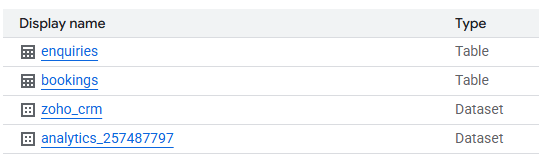
This step varies depending on which CRM you use, but the principle is the same. You need your leads, bookings and deal data in BigQuery as a table you can query alongside your GA4 data.
There are a few ways to do this:
Manual CSV export: Export your CRM data and upload it directly to BigQuery. Simple, but requires manual updating every time.
Scheduled API sync: Use a Python script to pull from your CRM’s API and push to BigQuery on a schedule using Google Cloud Run and Cloud Scheduler. This keeps your data fresh automatically and costs almost nothing to run.
Third party connectors: Tools like Fivetran or Airbyte have native CRM connectors, but these typically come with a cost.
For a genuinely free setup, the scheduled API sync is the most sustainable once it’s built.
Step 3: Create a shared identifier
This is the most important step, and it needs a small amount of setup on your website.
To join GA4 data with CRM data, you need a value that exists in both systems for the same user. The most reliable way to do this is to pass GA4’s client_id into your enquiry or booking form as a hidden field. When someone submits the form, the client_id gets stored against their CRM record alongside their contact details.
That’s your bridge between anonymous GA4 session data and named CRM records.
To set it up:
Add a hidden input field to your form with an ID like ga_client_id Use a small JavaScript snippet to read GA4’s cookie and populate that field on submission Make sure your CRM captures and stores that field against each record Include that field in your BigQuery export
Once you have the client_id in both tables, you can write a simple SQL join in BigQuery to combine them.
Step 4: Visualise in Looker Studio
Connect your joined BigQuery dataset to Looker Studio using the native connector. From there you can build a dashboard showing, for each channel, not just sessions and clicks but actual leads, bookings and revenue.
Useful views to build:
Channel vs bookings: which source and medium combinations are driving the most conversions Enquiry rate by channel: sessions divided by form submissions, broken down by traffic source Revenue by channel: if your CRM holds booking values, you can pull through actual revenue figures Time to conversion: how long after the first organic session did someone convert.
🧠 How this shapes SEO strategy
Here’s where it gets interesting. Once you can see revenue and bookings by channel, you stop making decisions based on rankings and clicks alone. You start making decisions based on what’s actually working.
Pages driving high value organic sessions but low conversion rates become CRO priorities. Channels you thought were underperforming turn out to be driving first touch for your highest value customers. And organic search, almost always, looks a lot more valuable than GA4 alone would have you believe.
I’ve seen this data completely change how SEO is perceived at senior level. Instead of presenting rankings and click trends, you’re presenting revenue directly attributed to organic sessions. That’s a very different conversation.
A quick note on stakeholder communication
One thing worth mentioning. When you’re making significant content updates across your ecommerce site, which you should be doing regularly for SEO, rankings and traffic will often dip before they recover. This is completely normal, but it causes unnecessary alarm if it hasn’t been flagged in advance.
Brief your leadership team before you make significant content changes, not after the dip appears. SEO typically takes 3 to 6 months to reflect updates. Setting that expectation upfront reframes the conversation from “what’s gone wrong” to “this is exactly what we predicted.”
The BigQuery setup makes this even easier, because even during a rankings fluctuation you can show that organic is still driving enquiries and revenue. The full picture, not just the click data.
🧭 Final thoughts
The entire stack, GA4, BigQuery and Looker Studio, is free within standard usage limits. For most ecommerce businesses this setup gives you cleaner attribution data than tools costing hundreds of pounds a month.
If you’re an SEO working in ecommerce and you’re not already joining your CRM and GA4 data, start today. You’ll wonder how you ever made decisions without it.
 SEO for Beauty Brands
Leave a comment