
If you’re working in eCommerce SEO, you’ve probably heard the phrase “work smarter, not harder” more times than you can count. But what does that actually look like when your to-do list is overflowing, competitors are outranking you for your own brand name, and you’ve got limited dev time to play with?
One of the most effective ways I’ve found to drive results—without doubling your resources—is by focusing on Revenue Per Session (RPS).
Why revenue per session is the metric you should be tracking
Prioritizing your efforts in SEO is crucial. As costs rise across the board—from PPC budgets to freelance support—business owners and marketers are rightly asking: how do we get the most bang for our buck?
Revenue per session helps you answer that. It shows you which pages are delivering the most revenue per user visit. Not just traffic, not just rankings—actual money in the bank.
It’s one of the best ways to:
- Spot hidden opportunities in your site structure
- Maximize ROI without increasing headcount or spend
- Justify SEO investment to stakeholders who care most about the bottom line
Best part? It’s ridiculously easy to set up in Looker Studio (formerly Google Data Studio). Let’s walk through it together.
📊 How to set up revenue per session in Looker Studio
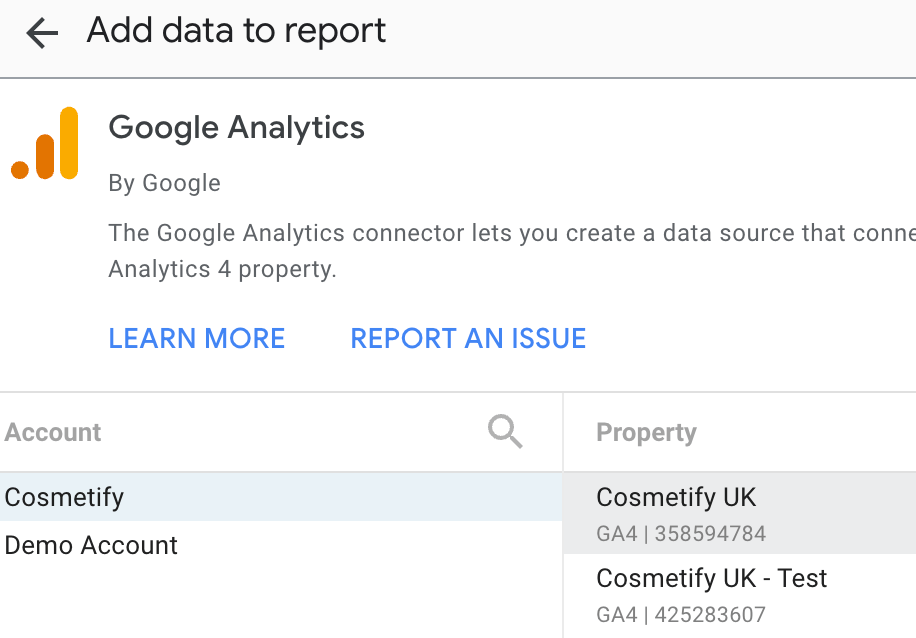
Step 1: Connect your data source
Before anything else, make sure your Looker Studio dashboard is connected to a data source that includes both:
- Revenue (e.g. GA4’s total revenue, purchase revenue or item revenue)
- Sessions
If you’re using GA4, the standard BigQuery export or GA4 connector will do the job. For Shopify stores, you can also look into connectors like Supermetrics or Funnel.io.
Step 2: Create a new metric for revenue per session
Now, let’s create the golden metric.
- Go to Resource > Manage added data sources and select your data set
- Click “Add a Field”
- In the formula field, paste this:
SUM(Total revenue) / SUM(Sessions)
- Give it a name like Revenue Per Session
- Click “Save”

✅ Note: If your table uses different field names (e.g. purchase_revenue, sessions_total), adjust the formula accordingly. You may also need to change the aggregation, depending on the dimension you want to use.
Step 3: Add it to your table or chart
Now you can add this new metric to any table that uses a relevant dimension. I recommend starting with:
- Landing Page
- Page Path
- Device Category
- Source/Medium
This will show you which pages or segments are punching above their weight when it comes to making money—not just attracting clicks.

Step 4: Sort, filter, and prioritize
This is where the goldmine is.
Sort your table by Revenue Per Session, descending. You’ll likely notice:
- A handful of pages have sky-high revenue per session
- Some traffic-heavy pages bring in almost no revenue
- There are potential CRO/UX issues or intent mismatches to fix
This gives you a data-backed roadmap for your SEO efforts:
- Pages with high RPS but low traffic? Boost rankings with content, links, internal optimization.
- Pages with low RPS and high traffic? Investigate intent, page layout, or explore CRO tactics.
- Pages with zero RPS? Consider whether they’re worth optimizing at all—or if they need a rethink entirely.
🧠 How I use RPS to shape SEO strategy
Here’s a peek at how I build this into eCommerce strategies:
- Prioritize quick-win pages with high RPS for on-page optimization and backlinks
- Use RPS insights to advocate for landing page improvements or A/B testing
- Shape content calendars around search queries that relate to high-RPS product lines
- Benchmark performance for category vs. product vs. blog pages
And yes, I’ve seen organic revenue double for clients just by shifting focus to the right set of pages.
📚 Helpful resources to level up
If you want to dig deeper into this approach, I recommend checking out:
- Analytics for Agencies – An unbelievably extensive GA4 and tag manager course that made me into the data nerd I am today! You can also use this link to get 4 FREE trial lessons to see if you like it before you pay.
🧭 Final thoughts
Revenue per session is one of those SEO metrics that quietly delivers massive impact. It helps you focus your time, budget, and content strategy on the things that actually move the needle—without burning out your team or endlessly chasing rankings.
If you’re an SEO working in eCommerce and you’re not already using it, start today. You’ll wonder how you ever made decisions without it.
✍️ Want more tips like this? Follow me on LinkedIn or get in touch for your own no-fluff SEO strategies that will drive real results.
 SEO for Beauty Brands
Leave a comment